
Display recurring events easy with MX Timetable, a Joomla! Component for creating timetables of recurring events, displaying a weekly schedule with an interactive front end. Whether you're offering classes, workshops, studio times, activities, or meetings, MX Timetable lets you display event times, locations, and information all in one simple view.
Documentation
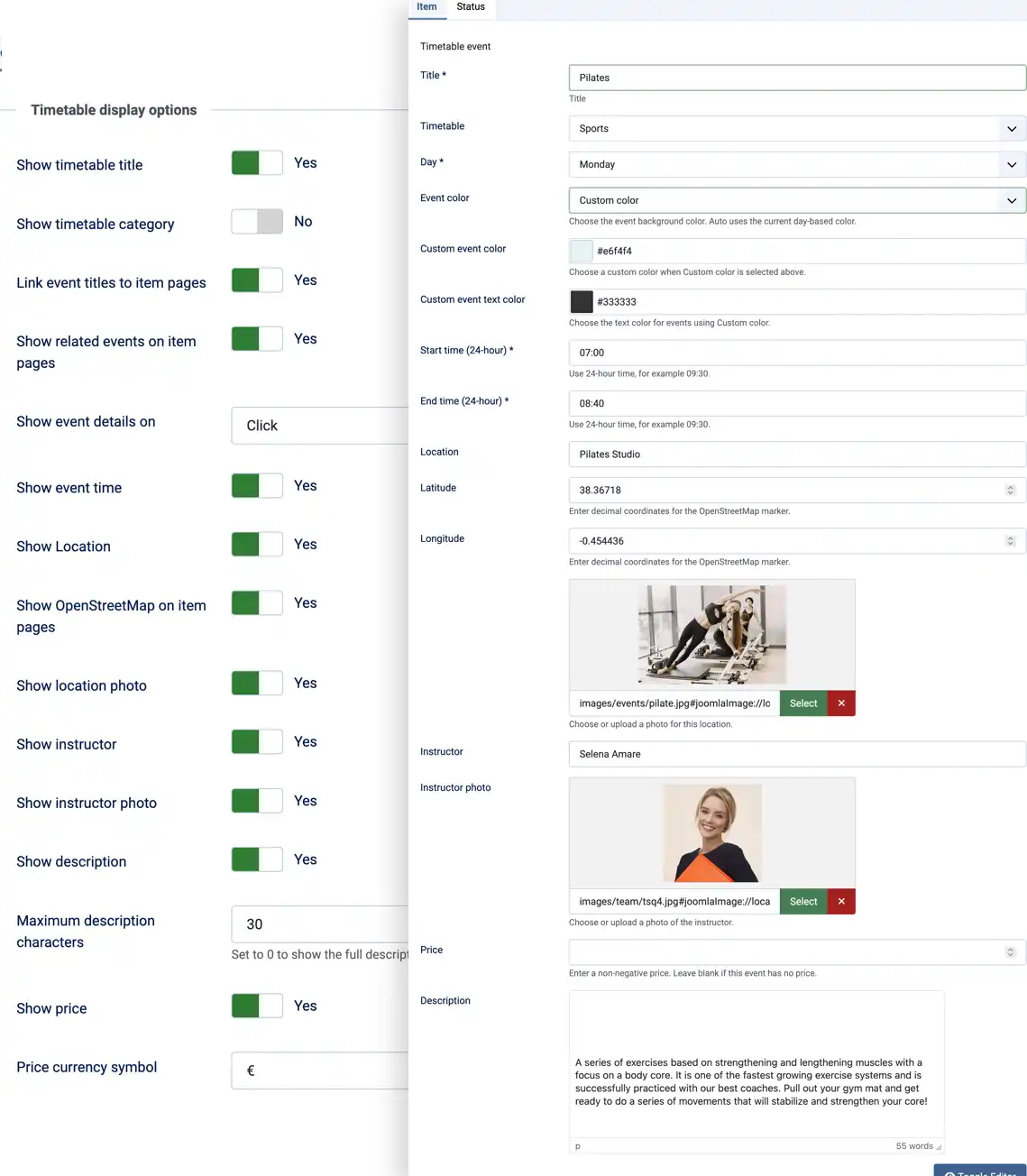
- Build weekly schedules with events assigned to weekdays and start and end times.
- Organize events into named timetables and display one timetable or all available timetables.
- Show event details on demand and filter the schedule by event title.
- Customize event colors, displayed information, labels, and prices.
- Create dedicated pages for a timetable, an individual event, and an event form.
- Use location coordinates to show an OpenStreetMap location map on an event page.
- A location name, plus optional latitude and longitude coordinates.
- A location photo and an instructor name and photo.
- An optional price and a rich-text description.
- A preset event color or a custom background and text color.
- Publication status, so administrators control which events appear publicly.
Events that are not assigned to a timetable are available in an all-timetables view rather than a view dedicated to one timetable.
Explore the interactive weekly timetable
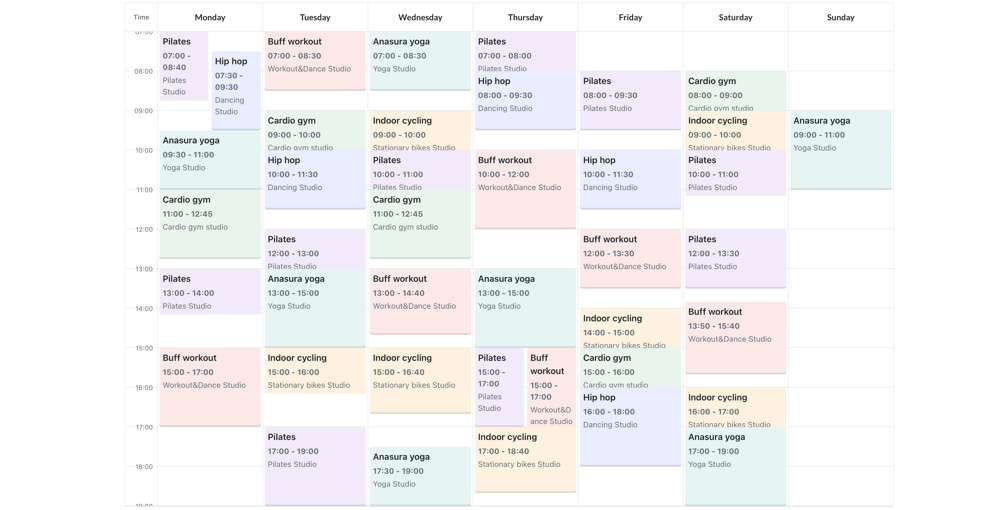
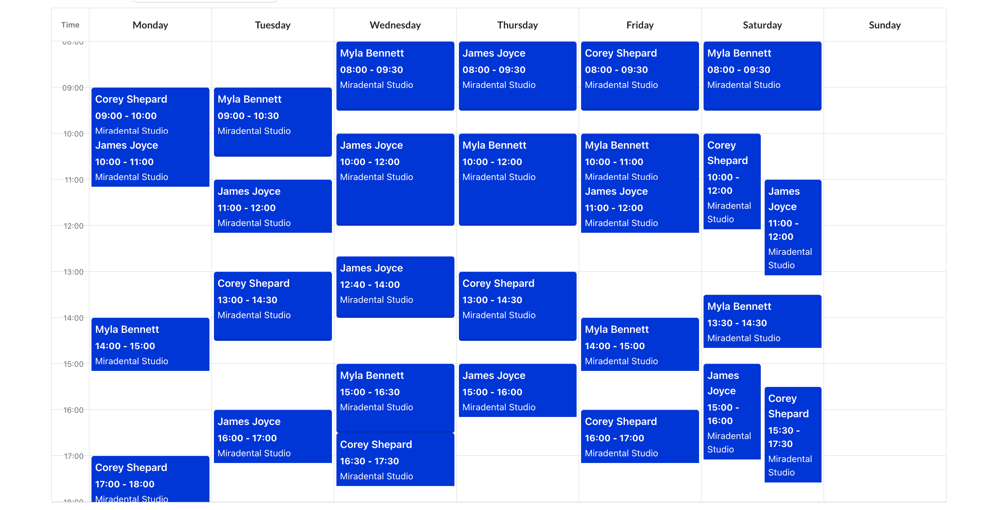
Weekly Timetable. Events are listed in columns for each day of the week. Filtering can be done by event title. Clicking on an event will show more details about it. If hovering is available then this can be shown as a tool tip.
- Events that overlap share the available width of their day column.
- Events that do not overlap can expand across adjacent free space, up to the full column width.
- On narrow screens, days and events are displayed in a vertically stacked layout.
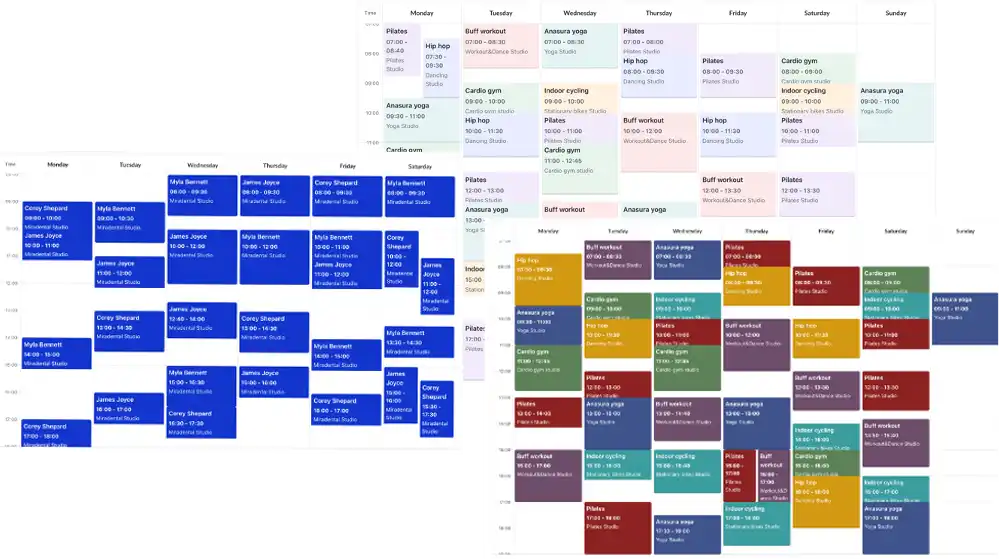
- Event colors help distinguish schedule entries, with automatic day-based colors available when no specific color is selected.
The event time, location, location image, instructor name and image, description and price fields can be turned on/off by administrators.
Give events their own pages
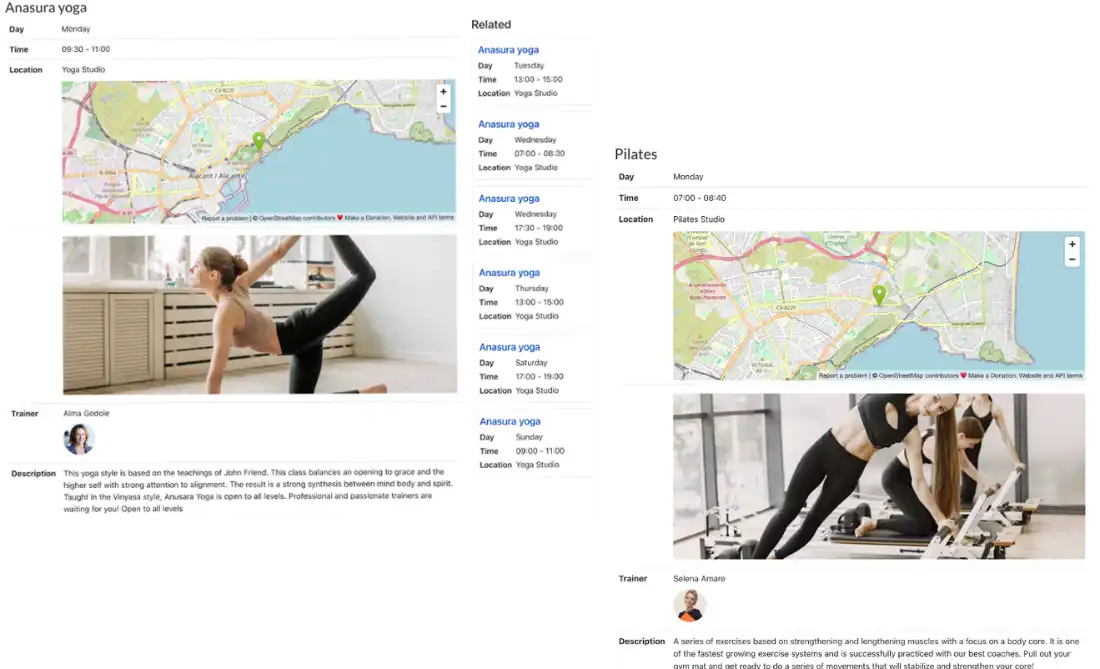
A Single Item menu item can display a specific event on a dedicated page. Depending on the configured display options and the available event data, the page can include:
- Weekday, time, location, and location photo.
- Instructor name and photo, shown independently of one another.
- Price, description, and the timetable name.
- An OpenStreetMap embed when valid latitude and longitude coordinates are provided and the map is enabled.
- Previous and Next links to neighboring published events in the weekly schedule.
- Related published events that share the same title, ordered by weekday and start time.
Related event titles link to their own item pages. Administrators can turn related events and the map on or off, as well as control which event details appear.
Presentation Setup
Setup options in the component options section, but later override any of these options on an individual timetable/menu item basis. In this way, it is easier to create a unified site presentation style but to still make some customization of certain schedule pages.
Visible sections: Select which sections of timetable header and events information to display.
Interaction with event info: Select click to view or tooltip for events details when available.
Description size limit: Define number of characters to be shown; value set to 0 displays whole description.
Currency: Set up currency symbol/text to be used before event prices.
Frontend labels: Override frontend labels for title, days, time, location, images, trainers, price and descriptions. Empty label means the default language value will be used.
Timetable name visibility: Whether to display selected timetable name.
All options that can inherit values from component/timetable should remain empty.