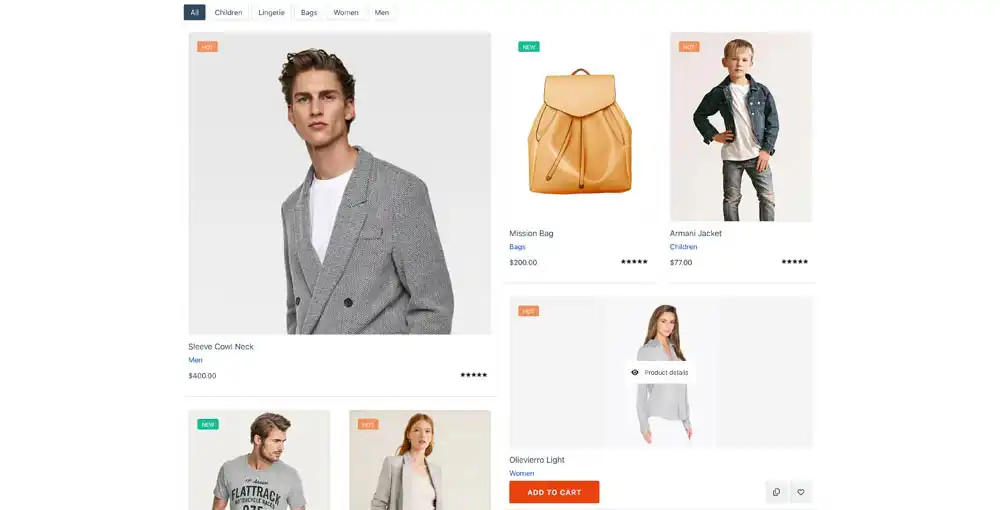

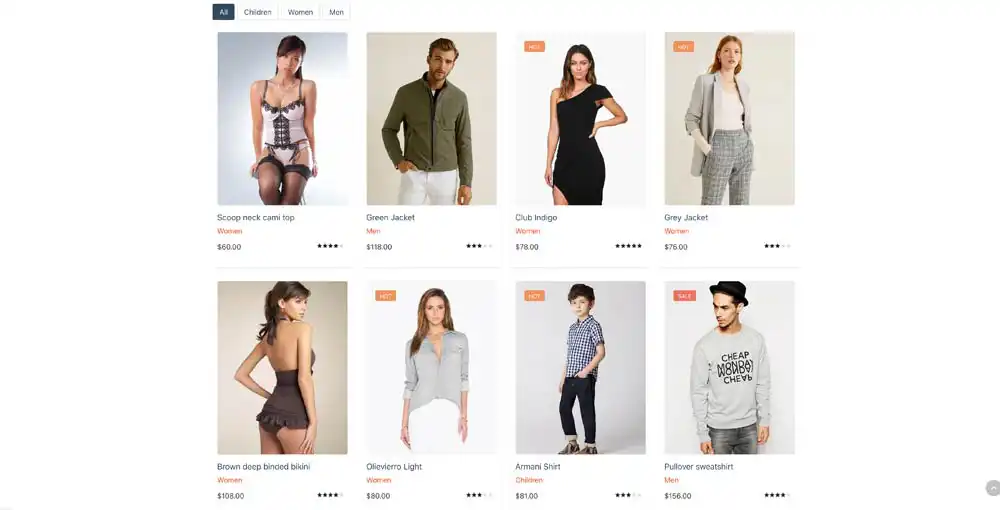
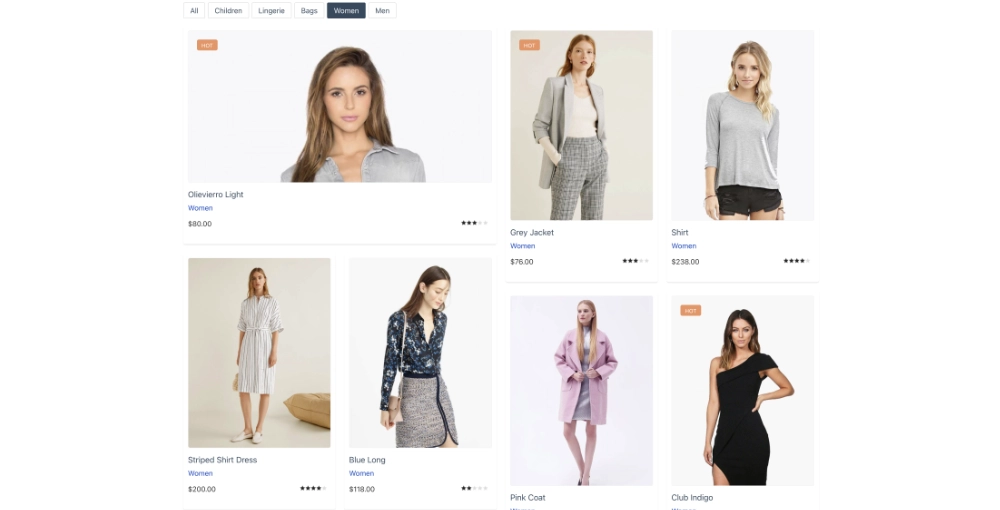
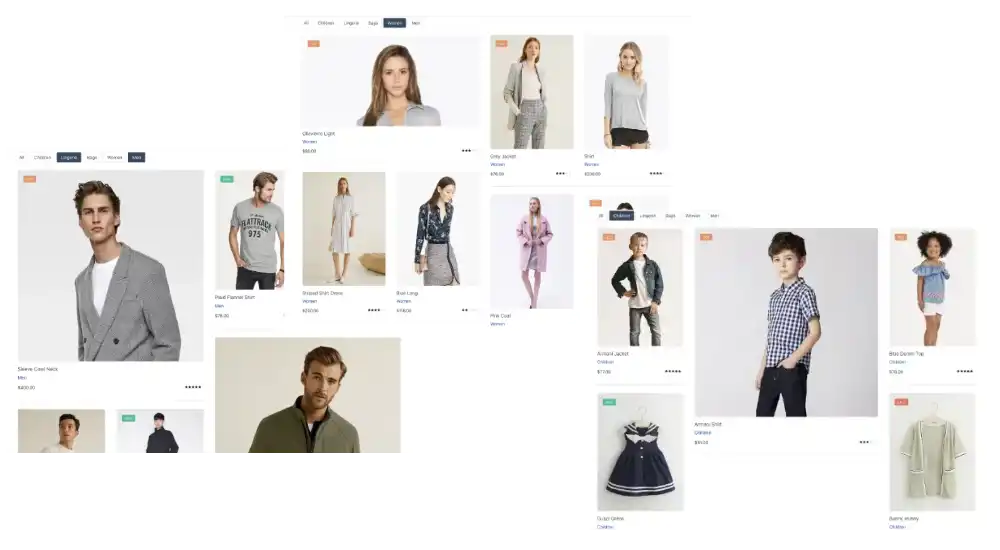
VirtueMart Showcase is a Joomla module that displays a wall or grid of VirtueMart products. It can show product images, details, categories, ratings, prices, and add-to-cart controls. The module also provides category buttons to filter the products currently displayed and an optional Load More button for requesting further results. Visitors can filter displayed products by category and request more products without leaving the page. The module also provides category buttons to filter the products currently displayed and an optional Load More button for requesting further results. Product selection, prices, ratings, categories, and cart controls are provided through VirtueMart.


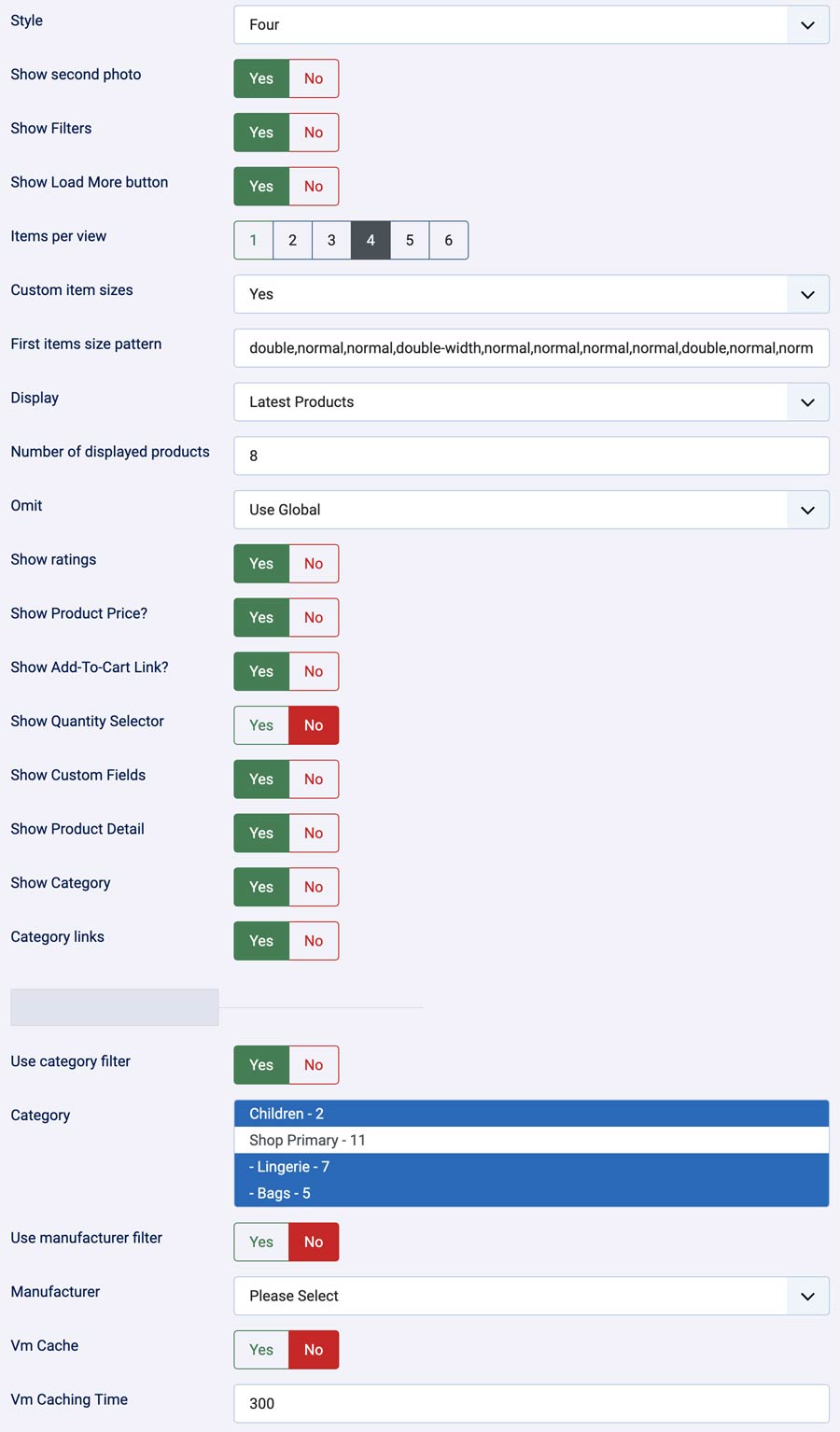
Basic Settings
- Style — Selects one of the module's five product-card styles (One through Five).
- Show second photo — Enables an alternate or hover image when a product has a second image.
- Show Filters — Displays category filter buttons above the product wall when categories are available. These filter products already shown on the page.
- Show Load More button — Displays a button that requests additional matching products.
- Items per view — Sets the wall's column count, from 1 to 6. Default: 3.
- Custom item sizes — Enables the size pattern for the first products in the wall.
- First items size pattern — Comma-separated sizes for up to the first 16 products:
normal,double(two columns and taller), ordouble-width(two columns wide). Example:double,normal,normal,double-width. Unspecified or invalid entries usenormal. - Display — Chooses the VirtueMart product listing: Featured Products, Discontinued Products, Latest Products, Random Products, Best Sales, or Recently Viewed Products. Default: Featured Products.
- Number of displayed products — Sets the initial product result limit and the number requested per Load More batch. Default: 2.
- Omit already loaded products — Uses VirtueMart's omit-loaded setting to exclude products already loaded elsewhere, or uses the global setting.
Product content
- Show ratings — Shows product rating stars when a rating exists.
- Show Product Price? — Shows the product's VirtueMart price.
- Show Add-To-Cart Link? — Shows VirtueMart's add-to-cart control.
- Show Quantity Selector — Enables the quantity input and controls alongside the add-to-cart area.
- Show Custom Fields — Allows VirtueMart custom fields to appear in the add-to-cart area.
- Show Product Detail — Shows a link to the product detail page.
- Show Category — Shows the product category name.
- Category links — Makes the displayed category name link to its category page.
Text and caching
- Vm Cache — Enables the module's VirtueMart product cache.
- Vm Caching Time — Sets the VirtueMart cache lifetime in seconds. The manifest suggests 300 seconds (5 minutes).
- Header Text — Optional text or HTML displayed before the product wall.
- Footer Text — Optional text or HTML displayed after the product wall.
VirtueMart caching is separate from Joomla's Caching setting under Advanced. The module's setting description advises disabling Joomla module caching when using VirtueMart caching. The module also bypasses its VirtueMart cache for Recently Viewed products and Load More requests.
Advanced settings
- Caching — Joomla's module caching option. This is separate from Vm Cache.
- Module Class Suffix — Adds a CSS class suffix to the module's product wall, for template styling.
- Menu Class Suffix — Present in the settings form, but not used by the included default layout.
Product filters
- Use category filter — Restricts the product listing to the selected category or categories. This is a product-selection filter, separate from the visitor-facing Show Filters buttons.
- Category — Selects one or more categories for the category filter.
- Use manufacturer filter — Restricts the product listing to the selected manufacturer.
- Manufacturer — Selects the manufacturer used when the manufacturer filter is enabled.
Loading more products with AJAX
When Show Load More button is enabled, clicking Load more sends a background request to the site using AJAX. The page does not navigate or reload. While the request is running, the button is disabled and displays Loading....
The module requests an expanded set of results from VirtueMart, then adds up to the configured Number of displayed products to the existing wall. Products already shown are skipped, so a product is not added twice. Click again to request the next batch. When no more new matching products are available, the Load More button is removed.